Australians with a Samsung Galaxy phone can now use the Visa card stored in Samsung Wallet to pay at QR code checkouts in parts of Asia. Visa and Samsung announced on Monday that Visa Scan to Pay is live on Samsung Wallet, with Australia and Singapore the first two markets in the region to get it.
The pitch is simple: in places where shops, cafés and street stalls would rather you scan a QR code than tap a card, you scan the merchant’s code with Samsung Wallet and pay with the Visa card you already carry, instead of reaching for cash or signing up for a local payment app. Here’s what has actually been announced, where it works, and the questions to ask before you rely on it on your next trip.
What Visa and Samsung announced
According to the Samsung Newsroom Australia release, the feature lets “Australian travelers to make secure, seamless QR payments exclusively with their Visa cards on their Galaxy devices with Samsung Wallet at millions of merchants across the region.” The regional version of the announcement, issued from Singapore via PR Newswire on 16 November, says “Australia and Singapore are the first markets to go live in the region, with additional launches expected over the next few quarters.”
It is a Visa-only feature. Mastercard, American Express and eftpos cards stored in Samsung Wallet aren’t part of this launch, and the companies only mention Galaxy devices with Samsung Wallet. The announcement covers Samsung Wallet only, so it doesn’t change anything for people using Google Wallet or Apple Pay.
Scan to Pay itself isn’t new. Visa switched the service on across Asia Pacific in November 2025, listing Samsung Wallet as one of the wallets behind it at the time. What’s new for Australians is that the option has now arrived in the Australian version of Samsung Wallet.
Where you can use it
Scan to Pay doesn’t work on every QR code you see overseas. It works at merchants that accept QR payments through specific networks Visa has partnered with. According to the release, you should look for these acceptance marks:
- Mainland China: Lakala
- Hong Kong: Alipay+, OpenRice and Octopus
- Malaysia: Alipay+
- Singapore: FOMO Pay
- Vietnam: VNPay
Visa and Samsung say availability will expand “to more destination markets over time”, but haven’t named the next countries or given dates. Notably, the list doesn’t include Japan, Thailand, Indonesia or South Korea, which are all popular with Australian travellers. It also doesn’t say a WeChat Pay code, or any QR code without one of the marks above, will work.
How it works on your phone
The process described by Samsung is: open QR payments in Samsung Wallet “with a simple swipe, scan a participating merchant’s QR code and authorise the transaction.” Payments are authorised on the phone, and Samsung says Samsung Wallet is protected by encryption, biometric authentication and Samsung Knox security.
In practice, that means you need a Visa card that has already been added and verified in Samsung Wallet before you leave home. Adding a card overseas can be harder if your bank needs to send a one-time code by SMS to an Australian number you can’t easily receive while roaming.
What Visa and Samsung haven’t said
For an announcement about travel payments, there are some notable gaps. The releases don’t say:
- which Australian banks and card types (credit, debit or prepaid travel cards) are supported;
- which Galaxy phones, Android versions or Samsung Wallet versions you need, or whether Galaxy watches are included;
- what fees apply, or what exchange rate is used when you pay in a foreign currency;
- whether the merchant sees the payment as a card transaction, or what happens with refunds and disputes.
Fees are the big practical one. Moneysmart explains that an international transaction fee “may be charged by credit card providers for purchases, cash advances or transactions that are made with overseas-based merchants”. Nothing in the announcement suggests Scan to Pay changes your card’s usual overseas fees, so assume your normal card terms apply until your bank says otherwise. The ACCC’s foreign currency guidance is a useful reminder to compare both fees and the exchange-rate margin, not just the headline fee.
Visa’s numbers on cash, and what they do and don’t show
Visa says it commissioned research from Askable which found 62% of Australians used cash on a recent overseas trip, and 60% expected to carry less cash with Scan to Pay available. Independent outlet ChannelNews reported the same figures. The release itself says the research was “conducted by Askable on a small sample”, and its footnotes say the findings “are not representative estimates of all Australian or New Zealand travellers.” Treat them as Visa’s marketing research, not a picture of how all Australians pay abroad.
Should you use it?
If you have a Galaxy phone and a Visa card and you’re heading to Singapore, Hong Kong, Malaysia, Vietnam or mainland China, it’s worth making sure the card is set up in Samsung Wallet before you fly so you have another option at QR-only checkouts. A few sensible precautions:
- Check your card’s international transaction fee and exchange-rate terms with your bank before you go.
- Before approving, check the amount on screen (and the merchant name, if it’s shown) matches what you’re paying for, just as you would at a card terminal.
- Keep a physical card and some local cash as a backup, since only participating QR networks are supported and phones can go flat.
- Look for the acceptance marks listed above rather than assuming any QR code will work.
It’s also been a busy week for Galaxy owners in Australia: Telstra customers on Android have started getting carrier RCS messaging.
Our read
This is a genuinely useful addition for Galaxy owners who travel in Asia, where QR payments are everywhere and card terminals sometimes aren’t. But it’s a first step rather than a fix: it works with Visa cards only, on Samsung phones only, and at a limited list of QR networks, and the details that matter most for travellers (fees, exchange rates and which banks are supported) weren’t in the announcement. We’ll update this article if Visa, Samsung or the major Australian banks publish those details.
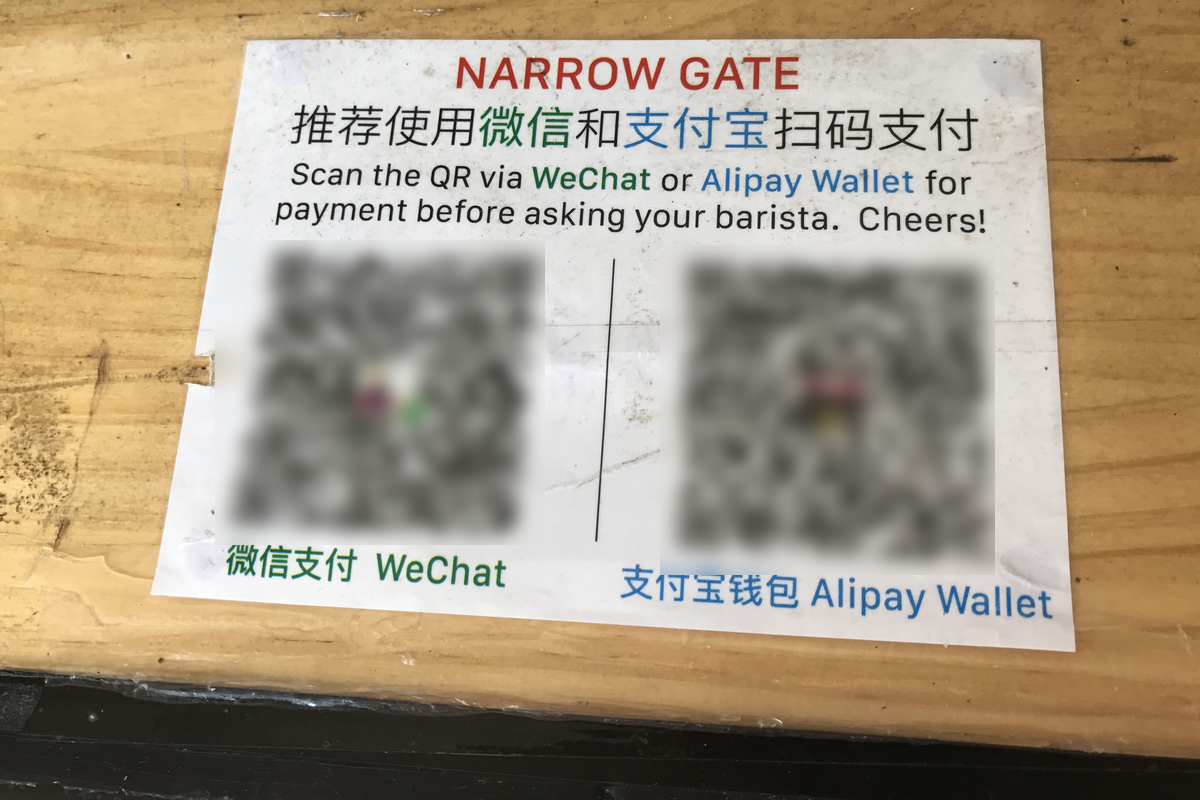
Featured image: QR payment codes for WeChat Pay and Alipay at a café in China, 2017. Photo: Harald Groven, via Wikimedia Commons (original on Flickr), licensed CC BY-SA 2.0; cropped, resized, QR codes blurred and converted to PNG. Illustrative only: the codes shown are not necessarily Scan to Pay-accepted networks, and the photo is not connected with Visa or Samsung.