It is 7am in a busy Sydney household. One person is making breakfast, someone else is hunting for their keys, and the question of who’s picking up the kids later still hasn’t been answered. The family calendar is on one phone, the video doorbell is in another app, and the kitchen timer is about to go off.
Apple’s newly announced HomeView is designed for precisely this sort of morning. Instead of asking everyone to find their phone, Apple wants a shared screen to handle the small tasks that make a home run.
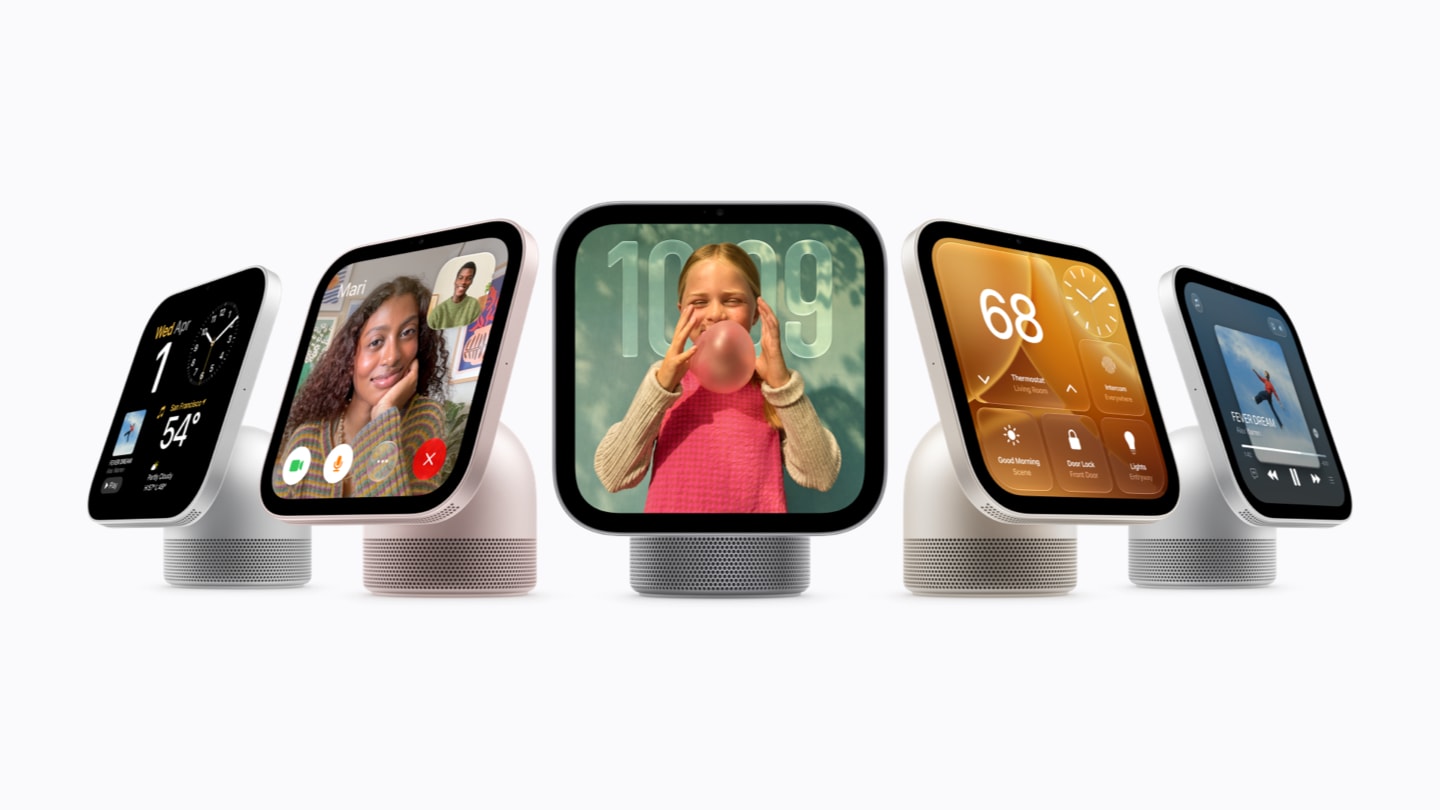
Announced on 14 October 2026, HomeView is a 7-inch smart display with a speaker, camera, smart-home controls and Apple’s conversational Siri AI. Australian pre-orders are open now at A$449 including GST, with availability from 13 November 2026, according to Apple’s Australian announcement.
But there’s a more interesting question than whether the screen looks good on a kitchen bench: will HomeView genuinely make an Australian household easier to manage, or is it another expensive device competing for our attention?
The kitchen could become a family command centre
Most households already have the ingredients of a digital organiser: calendars, reminders, shopping lists, music and weather forecasts. They’re simply scattered across different devices. HomeView brings many of them onto a display that stays in one place.
Apple says it can recognise up to six household members and show each person a personalised Home Screen. In theory, that means a parent could approach the screen to see their own reminders, while another family member sees a different calendar or set of widgets. Shared photo albums and music remain available to the household.
In an Australian family kitchen, that could be surprisingly practical. A glance at the weather before school, a timer for the oven, a reminder about weekend sport, or a FaceTime call to a relative overseas are all small interactions that don’t really need a phone in someone’s hand.
There’s a qualification: setup and multiuser support require a compatible iPhone or iPad with current software. HomeView is designed around Apple’s ecosystem, not as a completely independent family computer.
The front door may be where HomeView earns its place
For homes with compatible smart doorbells, locks, lights or cameras, a wall-mounted HomeView near the entry could be more useful than one on a coffee table.
Imagine someone ringing the bell while dinner is being prepared. Rather than unlock a phone and launch a camera app, a family member could check a live feed on the household display. Apple says HomeView’s Home Camera face can show up to nine video feeds at once and its Home app can manage compatible scenes and automations.
That could be valuable in larger suburban homes, where the front door, driveway and backyard may not all be visible from the living area. A screen by the entrance could also offer a last check of connected lights and locks before leaving.
However, compatibility matters more than the marketing. A camera or smart lock needs to work with Apple Home, Matter or another supported integration. Some advanced camera features require an eligible iCloud+ subscription. Apple also says its new Home Collection camera and doorbell products won’t launch in Australia initially, so local buyers should not assume the entire advertised accessory range is available here.
Siri AI may be the bigger change — if it works naturally
HomeView’s most ambitious feature is Siri AI, Apple’s new conversational assistant. The pitch is simple: ask a question, follow it up naturally, and get help without picking up your phone.
For a household, that might mean asking how much pasta to cook for five people, then following up with a cooking-time question while your hands are busy. Or checking a calendar invitation while getting ready to leave.
Apple says the device itself supports Siri AI’s general knowledge and conversational features. But personal-context features — such as finding information in someone’s Messages or Calendar — require a paired Apple Intelligence-enabled iPhone or iPad. Siri AI launches in beta, and certain server-powered functions have usage limits; Apple says expanded access to some capabilities may cost extra later.
English support is confirmed for Australia. The question still to be answered is how reliably Siri understands several family members in a noisy kitchen. Until independent reviews arrive, that’s a promise rather than a tested result.
Could HomeView make family calls feel more natural?
Apple has included a 12-megapixel Centre Stage camera for FaceTime calls, alongside microphones designed to pick up voices around the room.
That has obvious appeal for families spread between Sydney, Melbourne, regional Australia and overseas. A grandparent could join a conversation during dinner without everyone crowding around an iPhone. A family member travelling for work could call home while the household carries on with ordinary routines.
HomeView also supports Intercom messages across compatible Apple devices and HomePod speakers. It isn’t a revolutionary new communication service, but a permanently available screen might make familiar tools easier to use.
How much would HomeView actually cost in an Australian home?
Apple is offering a tabletop version in four colours and a separate wall-mounted version in two colours. Both have an Australian recommended retail price of A$449 including GST.
The wall-mounted model brings additional installation costs. Apple’s listed Schneider Home accessories start at A$94.95 for a USB-C wall connector or A$124.95 for an AC-wired mount; a PoE option is planned for early 2027 at A$199.95. That puts a wall-mounted device with the lowest-priced listed connector at A$543.95 before any installation labour.
For homeowners renovating a kitchen or hallway, an integrated screen might suit the design. For renters, the tabletop model is likely to be simpler because it avoids changes to walls or electrical wiring. Any mains-wired installation should be assessed and carried out by an appropriately licensed professional where required.
And the display is only part of the bill. Smart locks, cameras, sensors and compatible lights are separate purchases. Households starting from scratch could spend far more than A$449 to build the smart home shown in promotional material.
Privacy matters when the screen recognises the family
A shared device that can identify faces, listen for requests and display personal messages deserves careful consideration.
Apple says HomeView uses protected processing environments called Secure Exclaves, while personal information from apps such as Calendar and Messages is shown only when the recognised user’s paired device is present and recently unlocked. Siri requests can be processed on-device or using Apple’s Private Cloud Compute.
Those are useful safeguards, but families should still decide who can access camera feeds, which accessories guests can control, and what children are permitted to see. A shared kitchen display should make information more convenient without accidentally turning private messages into household announcements.
Should Australians buy Apple HomeView?
If you already use Apple Home: HomeView has a clearer purpose. It could put existing cameras, scenes, reminders and speakers behind one interface that the household can reach without hunting for a phone.
If you mostly want a music player or kitchen timer: A$449 is harder to justify. An existing iPad, iPhone or smart speaker may already cover most of those tasks, even if not with the same shared-screen experience.
If you’re building a new smart home: Start with the problem you want to solve — security, lighting, energy use or family organisation — and check accessory compatibility before choosing the screen. HomeView won’t make an incompatible camera or appliance work by itself.
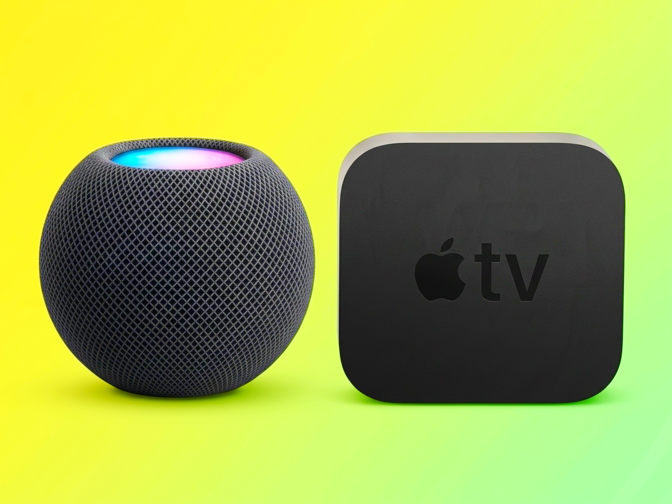
For readers following Apple’s wider living-room strategy, our earlier guide to Apple TV 4K and HomePod mini 2 in Australia looks at how the company’s other home devices fit into that picture.
The Tech Boom’s view: the best smart home is the one you barely notice
HomeView’s most compelling idea isn’t that a household needs another screen. It’s that people might spend less time navigating individual screens.
If a shared display can quietly surface a family calendar, show who’s at the door and help with a recipe, it could become part of the rhythm of a home. If using it means buying several more accessories, managing another set of settings and explaining to every visitor how it works, the promise starts to look less convincing.
Apple has made a credible case for why a home might benefit from a central display. What remains unproven is whether Siri AI and multiuser recognition can deliver that experience consistently in real Australian households.
At A$449, this is a product worth considering carefully, not an automatic upgrade. The smartest buying decision may be to wait for independent testing after its 13 November release — and decide whether it solves a problem your household actually has.
Source and editorial note: Product specifications, pricing and availability were checked against Apple’s 14 October Australian press release and Australian HomeView product page. The Tech Boom has not independently tested HomeView. Everyday household examples are illustrative scenarios, not hands-on findings. Pricing is Apple’s announced RRP and may change. Featured product image: Apple Newsroom.