Nintendo is bringing back a feature its stores have not offered since the Wii: buying a digital game for someone else. From 17 November, Switch and Switch 2 owners will be able to send Nintendo eShop games, DLC and upgrade packs as gifts, but only to people in their own Nintendo Account family group.
The groundwork arrived today. System update 23.5.0, which Nintendo Australia lists as released on 10 November, prepares both consoles for the feature, which will switch on with a separate eShop update next week. With Christmas about six weeks away, here is how gifting will work, how it differs from lending a game, what Nintendo has not explained yet, and what to set up now.
What Nintendo has announced
The patch notes for both consoles say version 23.5.0 “added support for an upcoming feature to allow gifting of Nintendo eShop products to a Nintendo Account family group member”, and that the feature “will be available after a Nintendo eShop update, scheduled for 17 November, 2026”. The Switch 2 notes and the original Switch notes carry the same wording on gifting.
In an announcement on its US site, Nintendo says gifting covers “eligible games as well as DLC and upgrade packs”. It lists three limits:
- Some products may not be eligible for gifting.
- Supervised accounts, the type usually set up for children, cannot send gifts.
- There is a limit on how many gifts you can buy in a given period. Nintendo has not said what that limit is.
Nintendo’s US post gives the date as 16 November, while the patch notes in Australia, the US and Japan say 17 November. Nintendo has not published a time for the eShop update. Our read: the US date is probably US local time, which would fall on 17 November in Australia, but we would not count on gifting until the eShop update actually lands on your console.
How sending a gift will work
According to Nintendo, you open the eShop on your console, choose a product and tick a new “Give as a Gift” option on the purchase screen. You then pick the recipient from your family group, choose which of their linked consoles should get it, pick a gift-wrap colour and pay as usual.
The gift appears on the recipient’s HOME Menu, where they accept it and can start playing straight away. Nintendo’s Japanese announcement adds that the recipient does not need to enter payment details or a download code. Nintendo also warns that gifts are sent immediately, and it has not mentioned any way to schedule delivery. If a gift is meant to be a surprise on Christmas morning, send it on the day.
Who counts as “family”
This is the big restriction. You cannot gift a game to someone on your friends list unless they are also in your Nintendo Account family group. A group can hold up to eight accounts: one admin, ordinary accounts, supervised accounts (usually for children 16 and under) and parent or guardian accounts that manage eShop restrictions for the children.
Families are the obvious use: a parent can buy a game straight onto a child’s account without handing over a card or buying a code. Because supervised accounts cannot send gifts, children will not be able to buy games for others this way. Nintendo’s notes do not mention needing a Nintendo Switch Online membership to use gifting.
For friends outside your group, the old options remain: a physical game, or a Nintendo eShop gift card that the recipient spends on whatever they choose.
Gifting is not the same as lending
Switch families can already share games through virtual game cards, which are easy to confuse with gifting. Lending is temporary and comes with rules, according to Nintendo’s Australian support guide:
- A lent game goes back to its owner automatically after 14 days, and the owner cannot play it while it is lent.
- The two consoles must be close to each other when you lend.
- You can lend up to three virtual game cards at a time, and each borrower can hold only one.
A gift, by contrast, is a separate purchase delivered to someone else’s account, and the consoles do not need to be in the same room. In short: lend a game you already own for a fortnight, or buy a new copy as a gift.
Why this is a bigger deal than it sounds
Nintendo has not had gifting in a store for years. The Wii Shop Channel added a gift option in December 2007 and closed in January 2019. As Nintendo World Report notes, this is the first time the feature has returned since then, and it is narrower than before because the Wii version was not limited to a family group.
As Australian site Vooks points out, the main practical change is this: until now, giving someone a specific digital Switch game meant buying a physical copy or buying eShop credit and hoping it was spent on the game you had in mind. Our read: for households with more than one console, particularly with children, this removes an annoying workaround in time for the busiest buying season. For gifting between friends it changes nothing.
What Nintendo hasn’t said yet
- Which products are excluded. Nintendo says some products are not eligible but has not listed them.
- The purchase limit. There is a cap on gifts per period, but no number or time frame.
- Refunds and mistakes. Nintendo has not explained what happens if you send a game the recipient already owns, or send it to the wrong person.
- Regions. It is not clear whether you can gift to a family member whose account is set to another country, such as relatives in New Zealand or overseas.
- The exact start time of the 17 November eShop update.
We will update this article once gifting is live in Australia and these details are clear.
What to do before 17 November
- Update both consoles, yours and the recipient’s, to version 23.5.0 or later: System Settings > System > System Update. Gifting needs 23.5.0 or later.
- Check your family group. Make sure everyone you plan to buy for is in it. Only the group’s admin can add members, and children under 13 must be added by an admin aged 18 or over. Nintendo explains how to add members. If you have several Switch consoles in the house, the group is worth setting up anyway for lending.
- Use a general account to buy. Supervised (child) accounts cannot send gifts, so the purchase has to come from an adult or other general account.
- Plan the timing. Gifts arrive instantly, so wait until the day if it is meant to be a surprise.
If you are still deciding which Nintendo console to buy for Christmas, our earlier report on why the Switch 2 got more expensive in Australia explains the price, and our September Nintendo Direct round-up covers the games still on the way.
Separately, the Switch 2 update lets you set up accessibility options during first-time setup and adds Portuguese (Portugal) to text-to-speech and GameChat’s text-to-speech option. Both consoles also get “general adjustments and fixes”. Nintendo Life has the full patch notes.
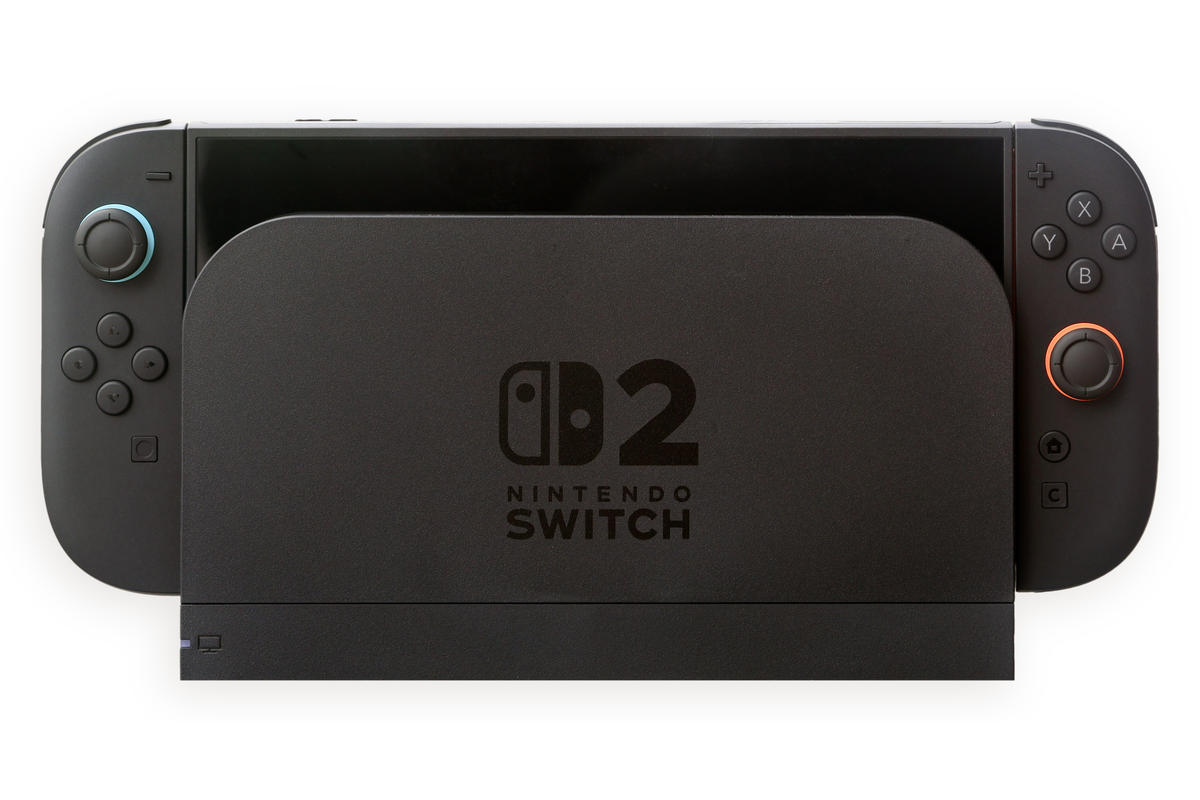
Featured image: Nintendo Switch 2 in its dock. Photo: Chris Woodrich (Crisco 1492) via Wikimedia Commons, licensed CC BY-SA 4.0; white background extended top and bottom, resized and converted to PNG. The adapted image is shared under the same licence. Nintendo trademarks are shown for editorial purposes and do not imply endorsement.