Google is making two big changes to its smart home gear in 2027, and if you have a Nest camera, thermostat, smoke alarm or Google speaker in your house, both will affect you. The Nest app will stop working on 25 January 2027. Then on 2 August 2027, Google Assistant will be switched off on Google’s speakers and smart displays, replaced by Gemini for Home.
Google announced the changes in a post on its Google Home & Nest community forum, published early on Saturday morning Australian time (Friday in the US). Its main promise is that “Every device supported today works with these updated experiences.” You won’t need to throw anything out. But a few Nest owners do have jobs to do before January. Here’s what’s changing, the dates that matter, and what to check this weekend.
The key dates
Google’s Australian Nest app transition page sets out the timeline:
- 25 January 2027: the Nest app is retired on Android, iOS, TV and the web (home.nest.com). Control moves to the Google Home app and home.google.com, and Nest devices, including cameras and video history, start moving across automatically.
- 25 March 2027: the final deadline to move an old Nest account to a Google Account. After this, Google says it will begin processing data deletions.
- 2 August 2027: Gemini for Home voice assistant fully replaces Google Assistant on Google speakers and smart displays.
If you use the Nest app: three things to check
Most people won’t have to do much. Google says your Nest thermostats, cameras, doorbells, smoke and CO alarms and locks will move to the Google Home app by themselves, along with schedules, settings and recorded video history. But Google’s transition guide points to three things worth checking now.
- Do you have a Google Account? The Google Home app needs one. Google says anyone who started using the Nest app after 19 August 2019 is already on a Google Account. If you still sign in with an old-style Nest account, Google says to migrate it before 25 January 2027 “to avoid losing access to your devices”.
- Have you saved any clips? If you have an older Nest camera or doorbell and saved video clips on home.nest.com, those clips will not move across. Google suggests logging in there before 25 January and using the one-click “Download All” button to keep any you want.
- Do you pay for Nest Aware (1st gen)? That plan is being replaced. Google says your coverage will continue “at no additional cost” as a Google Home Premium Advanced subscription from 25 January 2027, and that it will email subscribers with details closer to the date.
Grab the Google Home app now if you haven’t already. Google says you can move your devices across before January if you’d rather not wait, so you can check everything works while the Nest app is still there as a backup.
Why Google is doing it
Google has been running two apps side by side since it brought Nest into its own hardware business. Older Nest gear lived in the Nest app, while newer devices used Google Home. In its announcement, Google says the Nest app “launched over 15 years ago”, and that moving everything into Google Home gives users Google Account security, newer privacy controls and features from Gemini.
Not everyone is pleased. Some long-time Nest owners prefer the old app, and Android Authority notes that the move to Google Home “hasn’t been universally praised”, with users pointing to missing features. Google says it has now brought the controls for Nest devices from the past decade into Google Home. Its transition page lists live streaming, two-way talk, 24/7 and event history, Activity Zones and familiar face alerts for cameras, and schedules and Energy History for 3rd and 4th gen Nest Learning Thermostats and the Nest Thermostat E.
Google Assistant is next: what Gemini for Home changes
The second change matters to anyone who says “Hey Google” to a Nest Mini, Nest Audio or Nest Hub. Google says Assistant was built for “rigid, static and highly specific voice commands”. Gemini, it says, lets you speak more naturally, cope with pauses and mid-sentence changes, and remember the context of a conversation. It also says the upgrade is “quick, free, and available across all devices”.
Australians don’t have to wait. Google’s Gemini for Home help page lists Australia among the countries where early access is already available, in English. New Zealand is on the list too. That means you can switch now, months before the August deadline, and see whether you like it.
Before you do, there are a few details from Google’s help pages worth knowing:
- There’s no going back. Google says: “Once you switch your home to Gemini for Home voice assistant, it can’t switch back to Google Assistant.” It switches over for everyone in the home.
- The basics are free. Smart home controls, music and media, alarms and timers, calendars, notes, lists and reminders, and general questions don’t need a subscription.
- Some extras cost money. Gemini Live (longer back-and-forth chats) needs Google Home Premium. Searching your camera history by voice and the daily Home Brief need the Premium Advanced plan.
- Older hardware gets most, not all. Google says the full experience runs on the Google Home Speaker (2026), Nest Hub (1st and 2nd gen), Nest Hub Max, Nest Audio, Nest Mini (2nd gen) and Google Home Mini (1st gen). The original Google Home, Google Home Max and Nest Wifi points support most features but not Gemini Live.
- Third-party speakers are still coming. In a Reddit comment quoted by Android Authority, Google said “third party speakers, like Sonos devices, will be eligible to upgrade to Gemini for Home voice assistant in the future.” There’s no date yet.
How to switch to Gemini for Home now
If you want to try it before August, Google’s instructions are:
- Update and open the Google Home app on your phone.
- Tap your profile picture or initial at the top right, then tap Home settings.
- Look for the “Set up Gemini for Home” banner and tap Get started, then follow the prompts.
On a computer, you can start at home.google.com/gemini. Google says speakers need Cast firmware version 3.76 or later and displays need Fuchsia firmware version 28 or later. Android users should also update Speech Recognition and Synthesis first.
What it means for Australian homes
For most households this is a tidy-up, not a crisis. Your hardware keeps working, and the deadlines are months away. The people who most need to act are those with an old Nest login, saved clips on home.nest.com, or family members who rely on particular voice commands and might not like a new assistant.
Our view: the bigger shift is the voice assistant. Google has already moved phones from Assistant to Gemini this year, and now it is doing the same in living rooms and kitchens. Gemini may well be better at answering questions, but the smart speaker’s main job is still turning lights on, setting timers and playing music, reliably, every time. Trying it now, while you still have months to report problems, is the sensible move. Google says it will share more updates before August 2027.
Weighing up the wider smart home market? We compared Google Nest with Apple, Ring and Samsung in our smart home battle explainer, and looked at Apple’s HomeView launch in Australia.
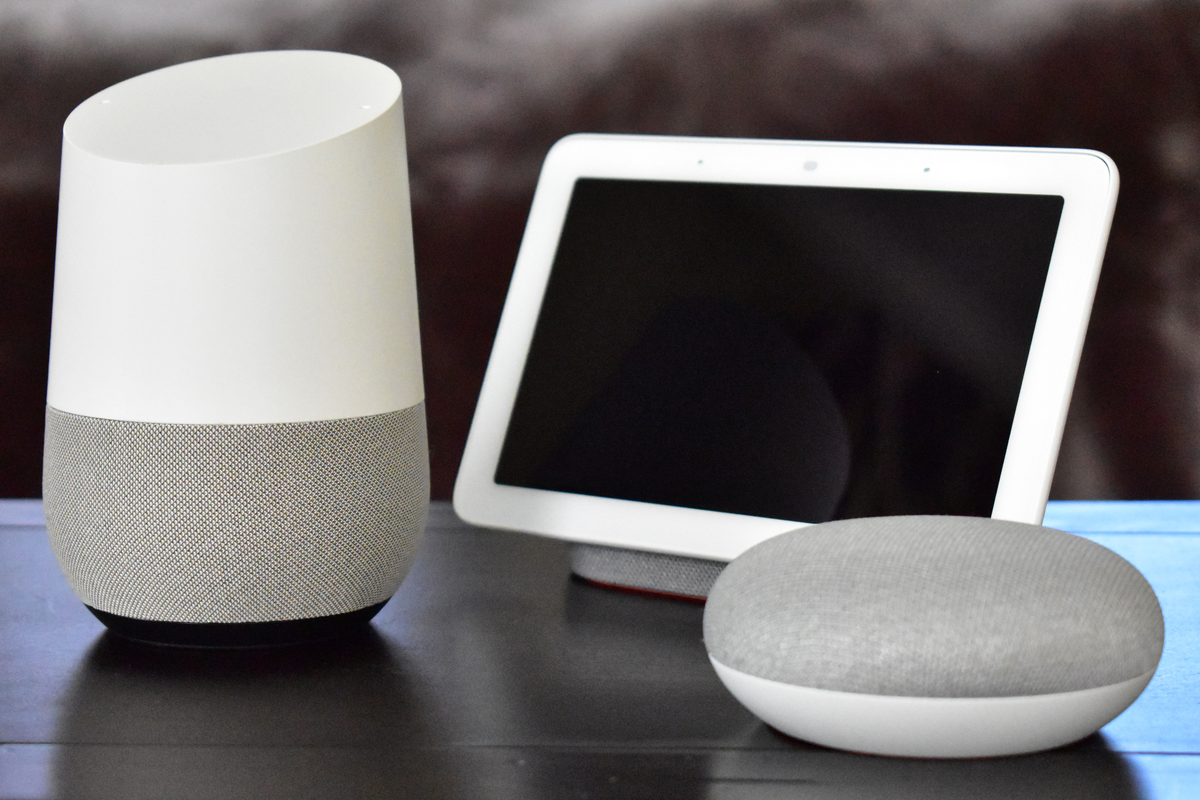
Featured image: Google Home, Google Home Hub (now Nest Hub) and Google Home Mini. Photo: Y2kcrazyjoker4 / Wikimedia Commons, CC BY-SA 4.0 (resized). No endorsement implied.